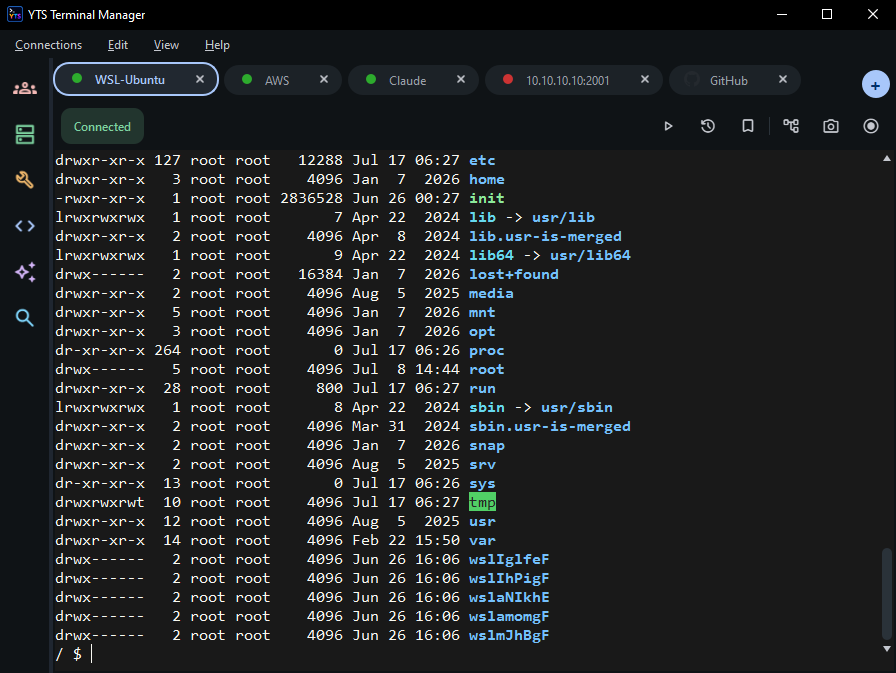
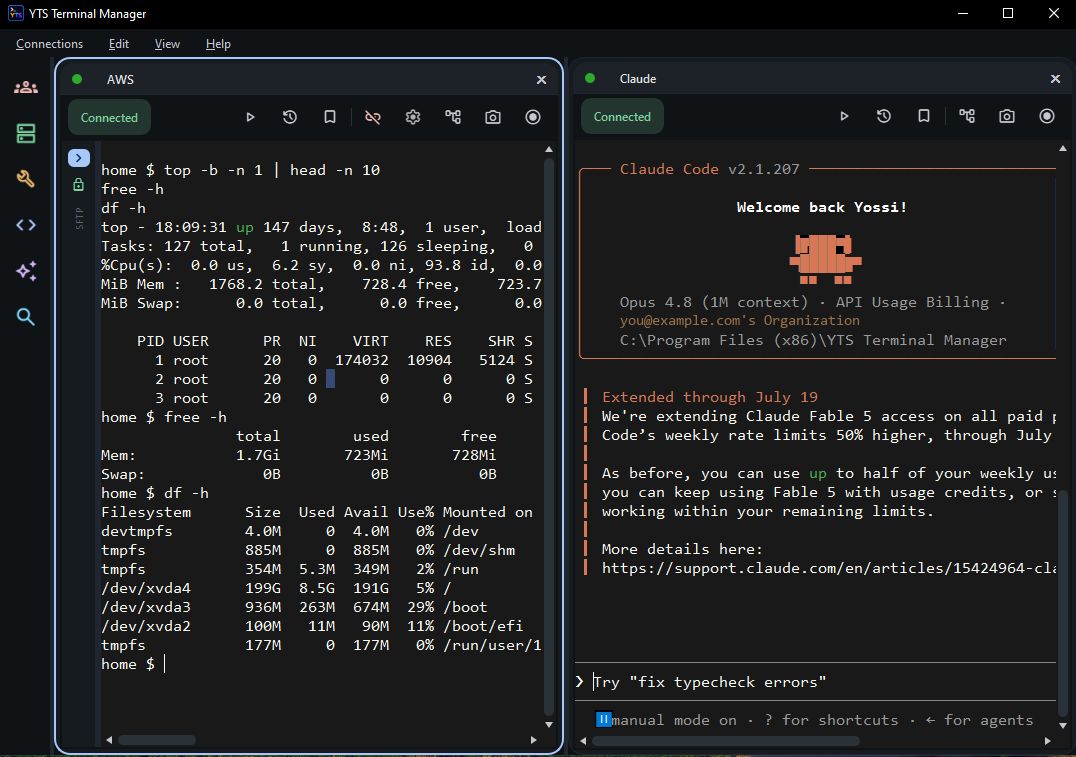
One terminal to rule them all. Every remote session in one streamlined Windows app, with a built-in AI assistant, Python automation and an embedded server stack. Replaces PuTTY, WinSCP — and half your toolbox.
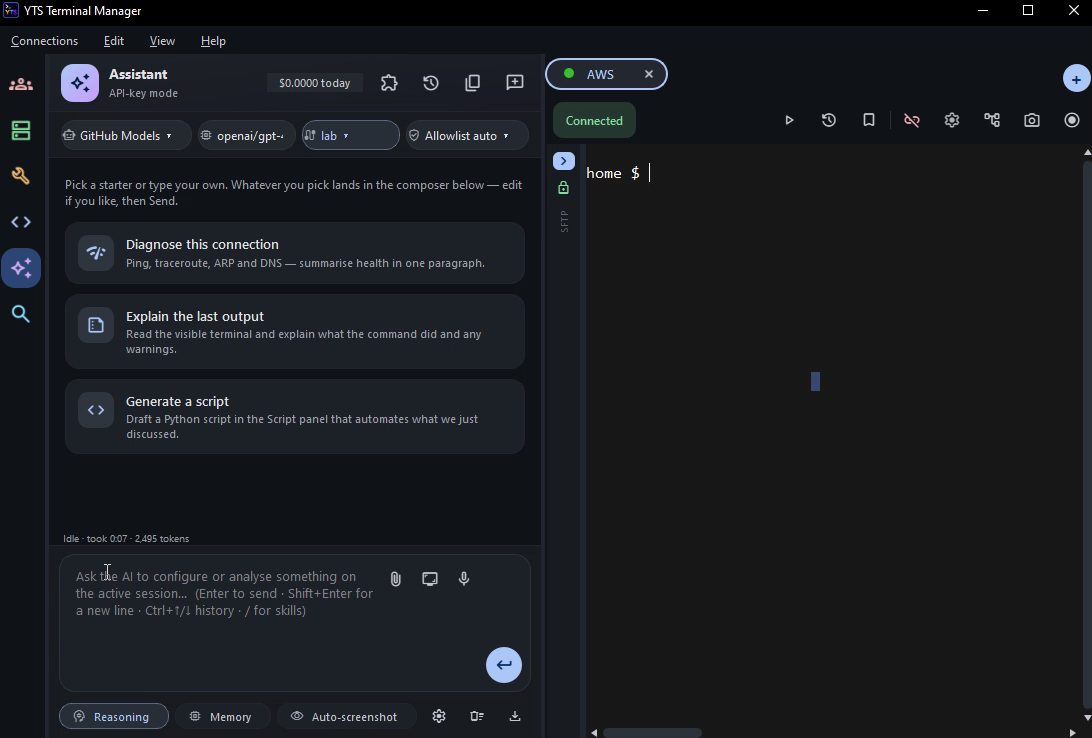
Paste nothing. Switch nowhere. The assistant reads your live terminal, understands the device you’re connected to — Cisco, Juniper, RAD and more — and acts only with your permission.
“Why is this BGP neighbor down?” — it reads the session output and tells you, with the exact show commands it ran.
Highlight any wall of output and get a plain-English explanation, on your screen, in seconds.
Describe the change; it plans the commands, shows a preview, and a safety risk-gate asks before anything mutating runs.
Run it against a 100% local model (Ollama, LM Studio, vLLM) — nothing ever leaves your machine.
Read the guide: build your own AI assistant with MCP servers & Skills →
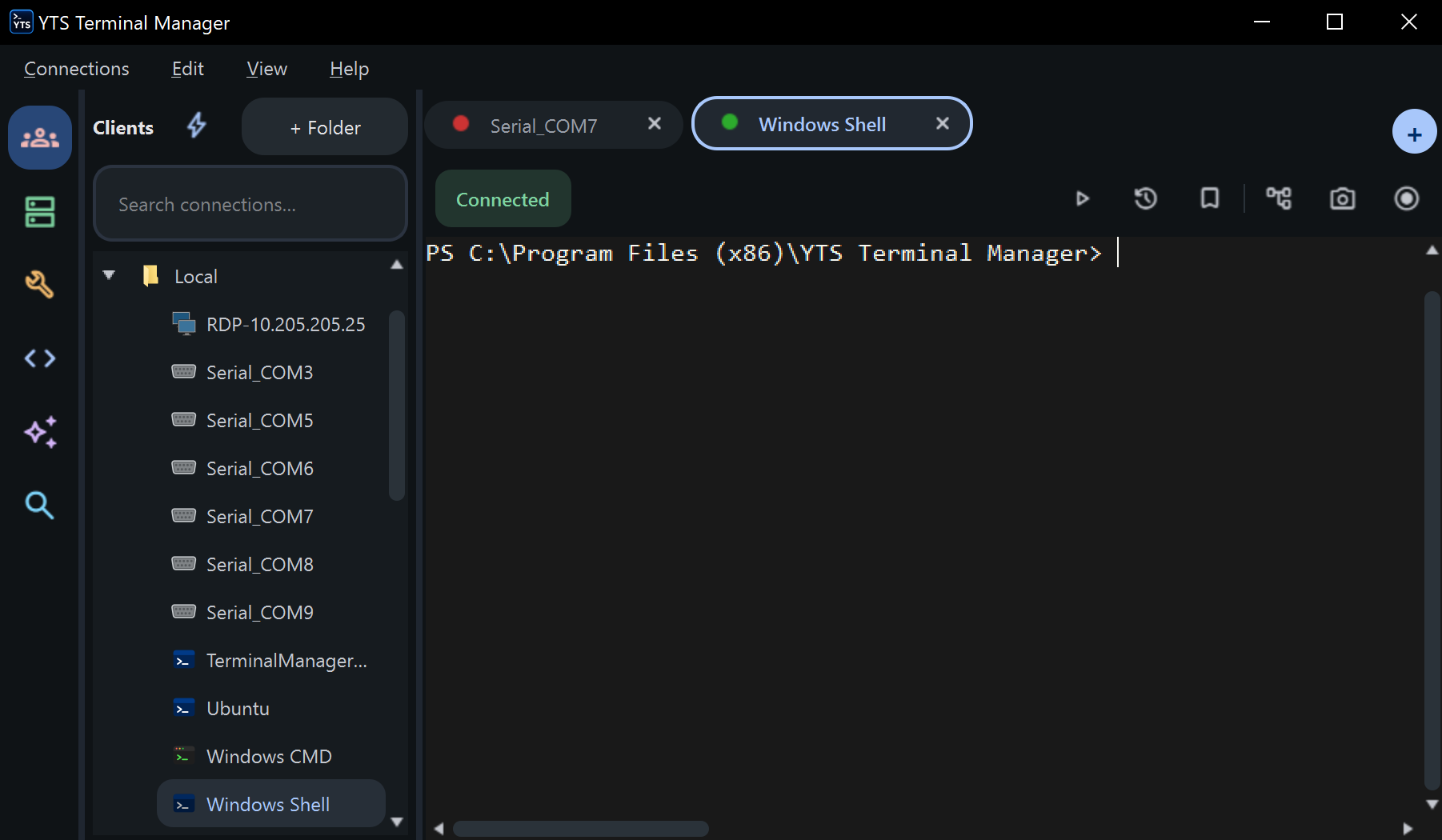
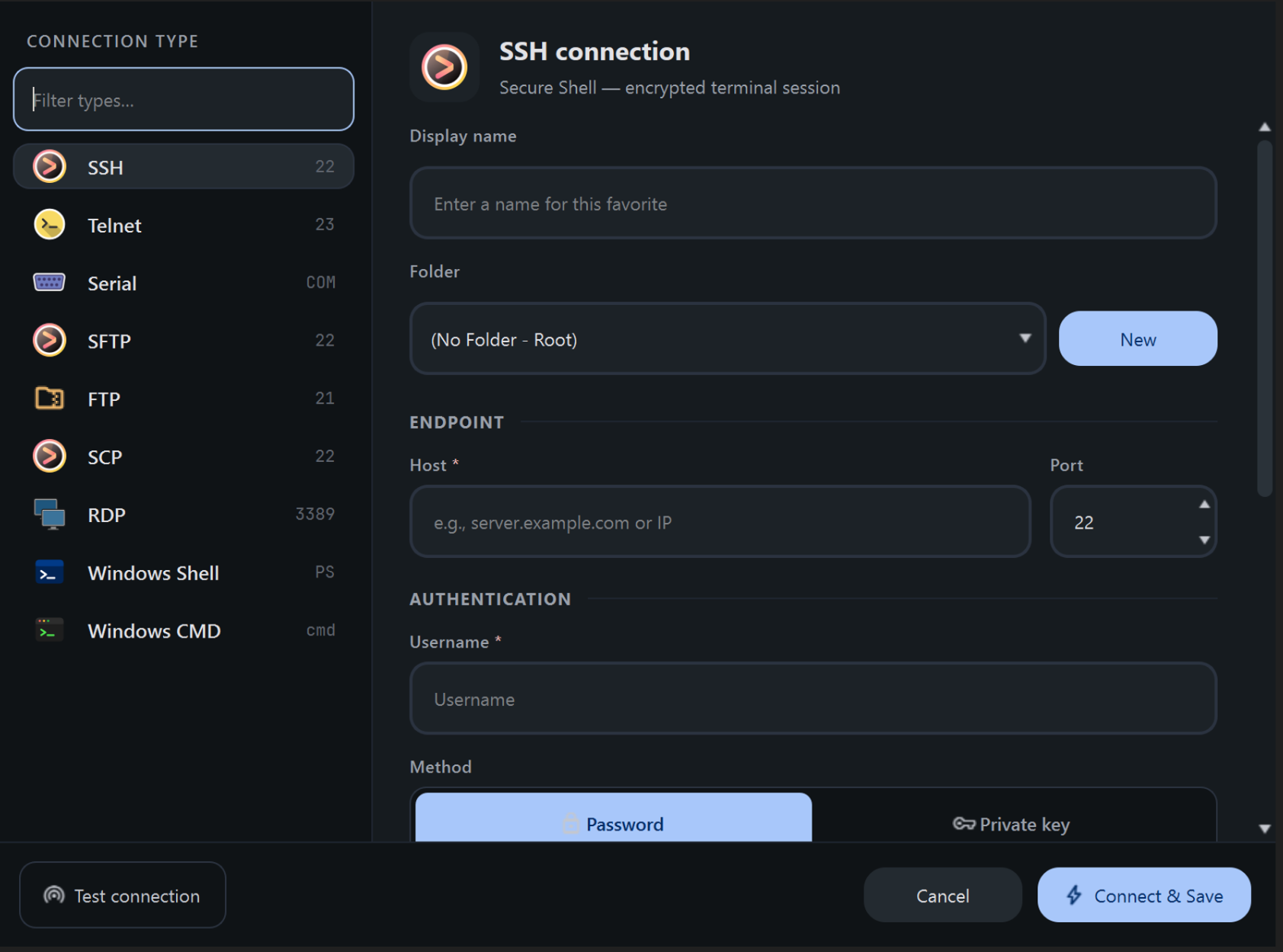
Ten connection types under one roof — so the console cable, the jump host, the firewall's web UI and the file transfer all live in the same app, sharing the same favourites, the same logging and the same shortcuts.
One app instead of PuTTY, WinSCP, Tera Term, an RDP client and a browser tab — no more hunting for the window that holds the session you need.
Folders, live search, drag-and-drop organising, and a greyed-out icon the moment a COM port disappears. Right-click to ping, duplicate or open a parallel SFTP session.
Quick-Connect (Ctrl+Shift+Q) for one-line access, saved favourites for the fleet, or auto-start so critical sessions are open before you sit down.
SSH host keys pinned on first use to catch a man-in-the-middle, and every credential encrypted at rest with Windows DPAPI — never in plain text.
Routers, switches, firewalls and embedded gear — over the network or straight down an RS-232 / RS-485 console cable.
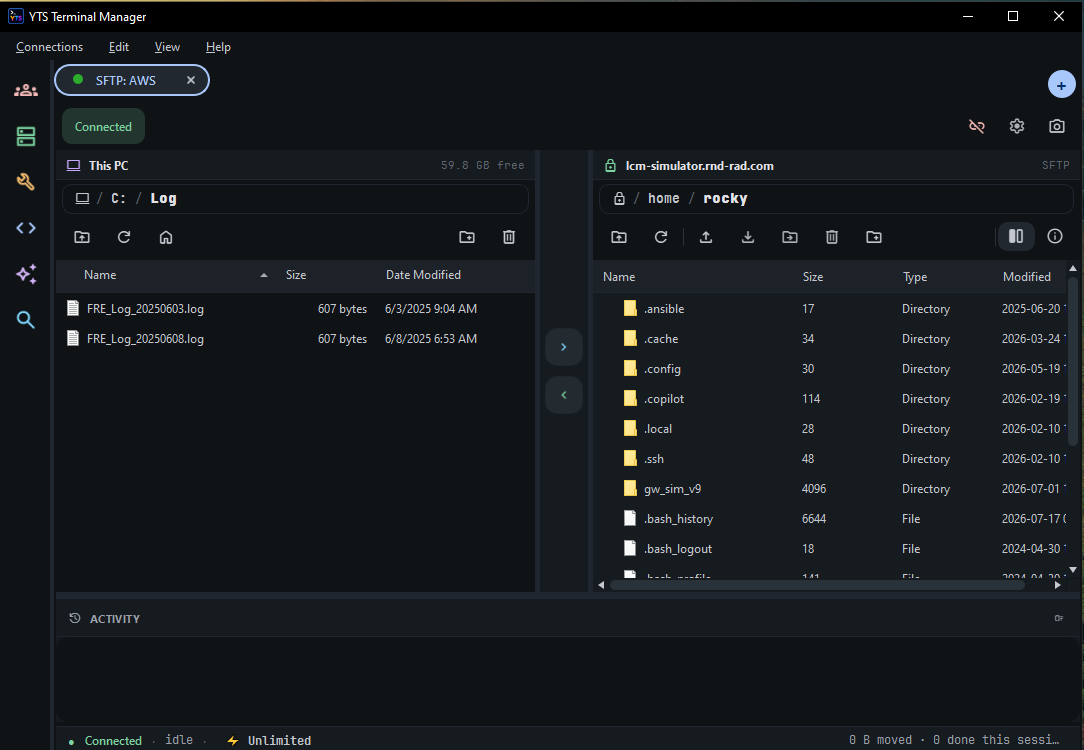
Drag files onto a session to upload, or browse the remote tree in a sidecar panel that follows your shell's directory.
Remote desktops and device management UIs open as ordinary tabs — no leaving the app to reach a web console.
Full ConPTY terminals that run modern TUIs properly — launch them with preset arguments and startup commands.
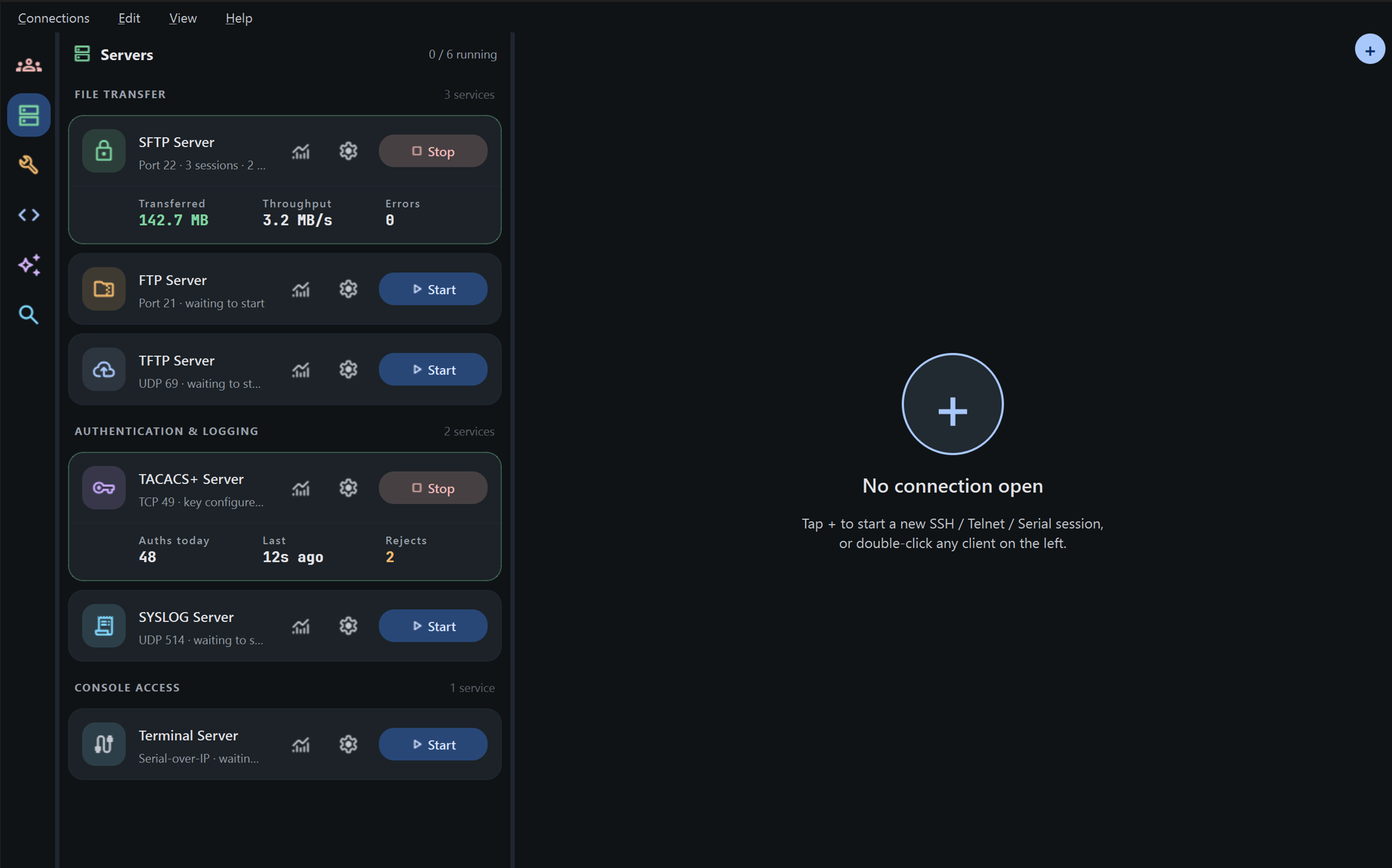
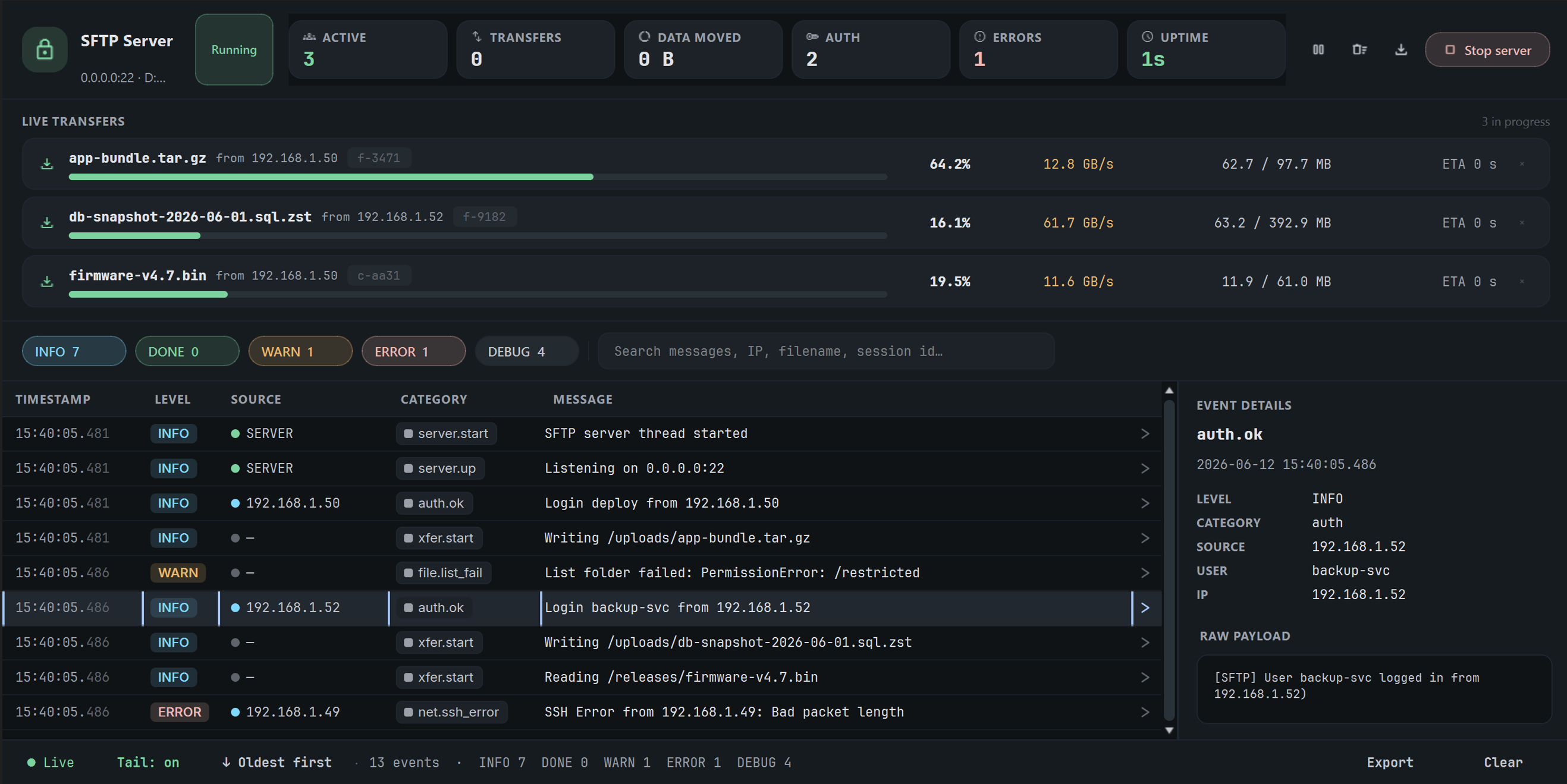
The services you normally scramble to install mid-job are already here, one click from the session that needs them. Start a TFTP server, push the firmware, stop it — without ever leaving the app or touching a separate download.
Serve a config backup or firmware image to a device in seconds. Replaces tftpd64 and FileZilla Server — no install, no firewall dance.
Test AAA against a real TACACS+ server, and catch a device's syslog the moment it misbehaves — with auth counts and rejects on screen.
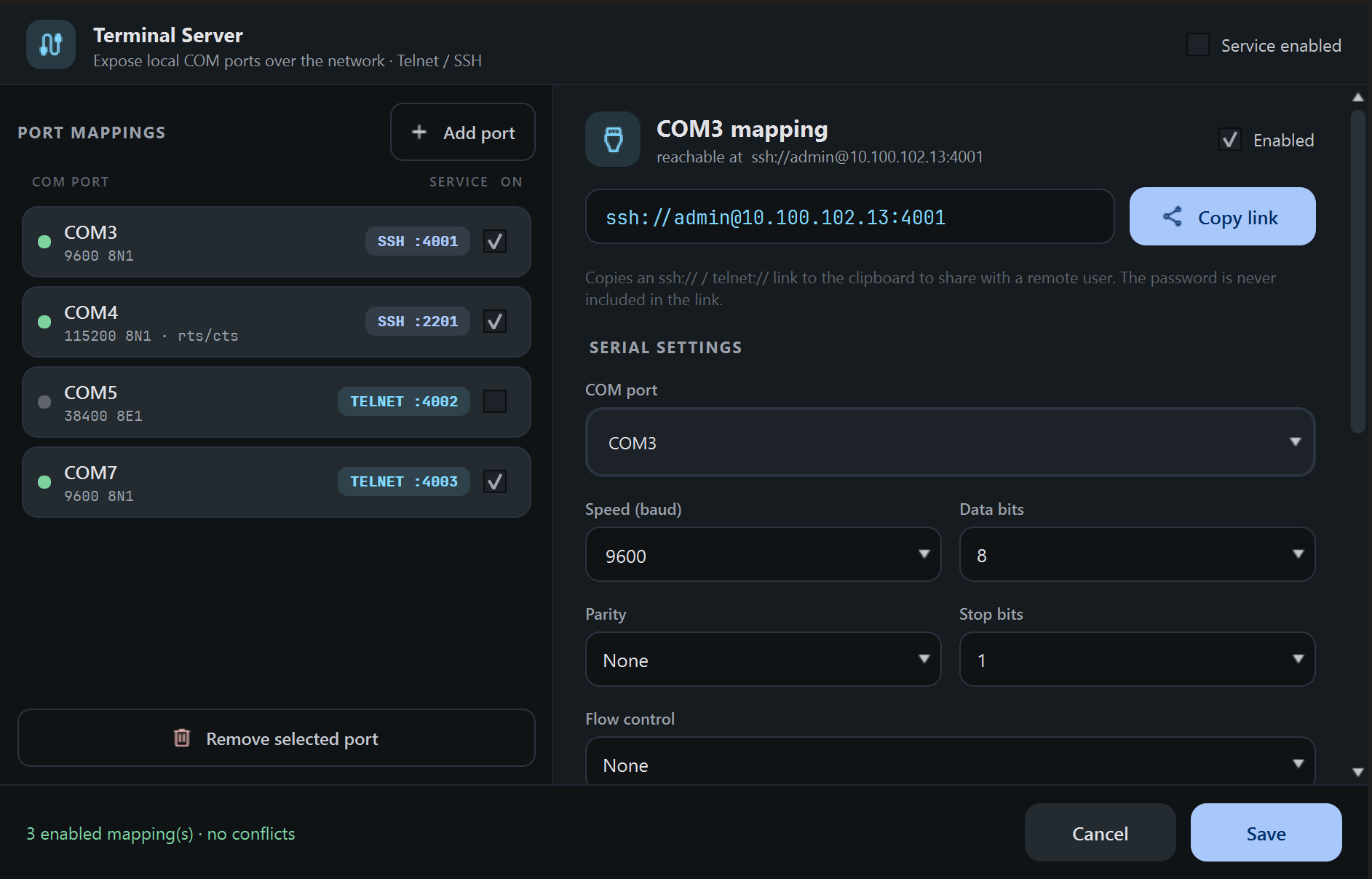
Share your local COM ports over SSH or Telnet — a console server in software, with a copy-link to hand a colleague. No hardware to buy.
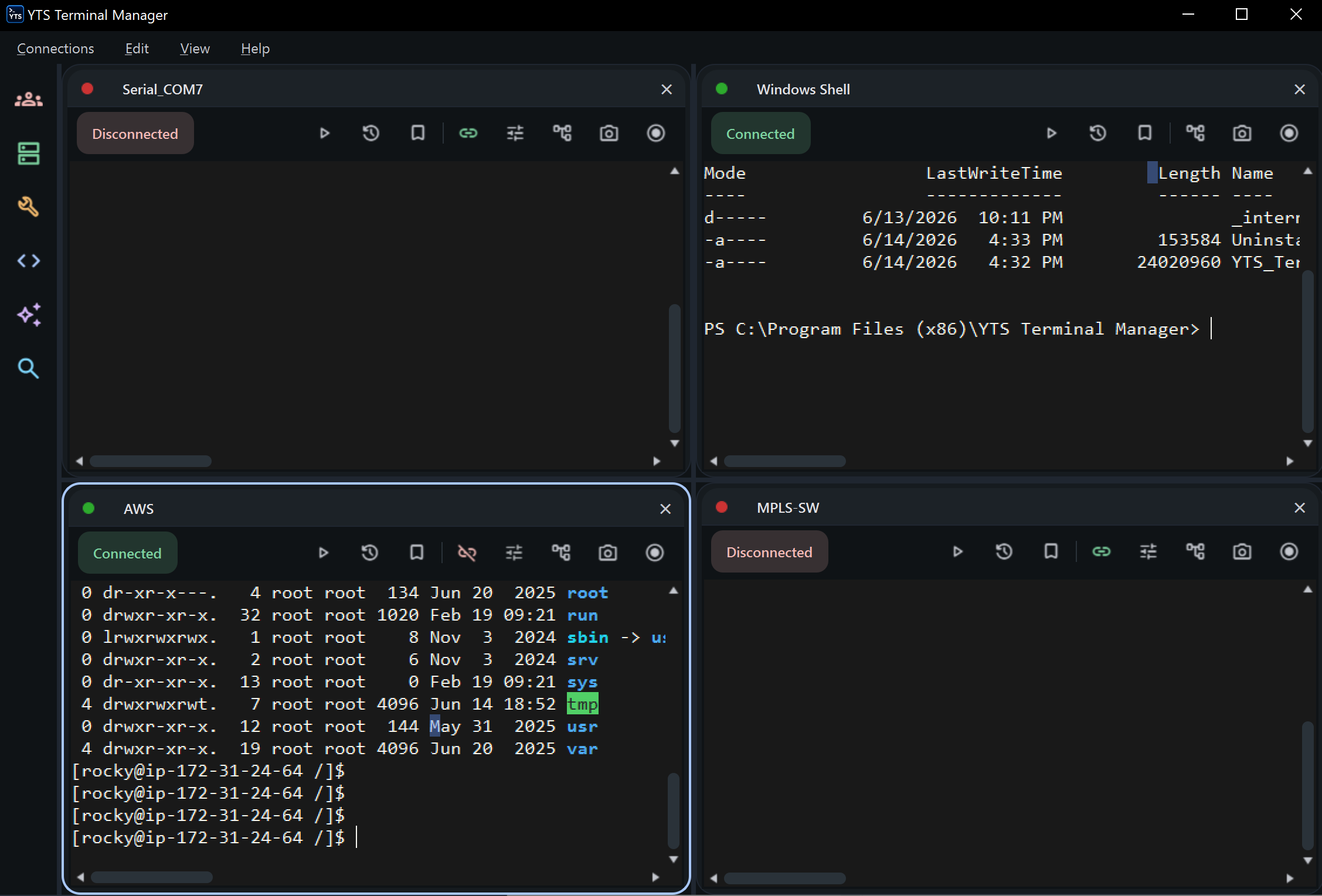
Drag any tab straight out of the main window and it becomes a real, standalone window — drop it on your second screen and keep that one critical session in view while you work everywhere else. The connection never drops on the way over.
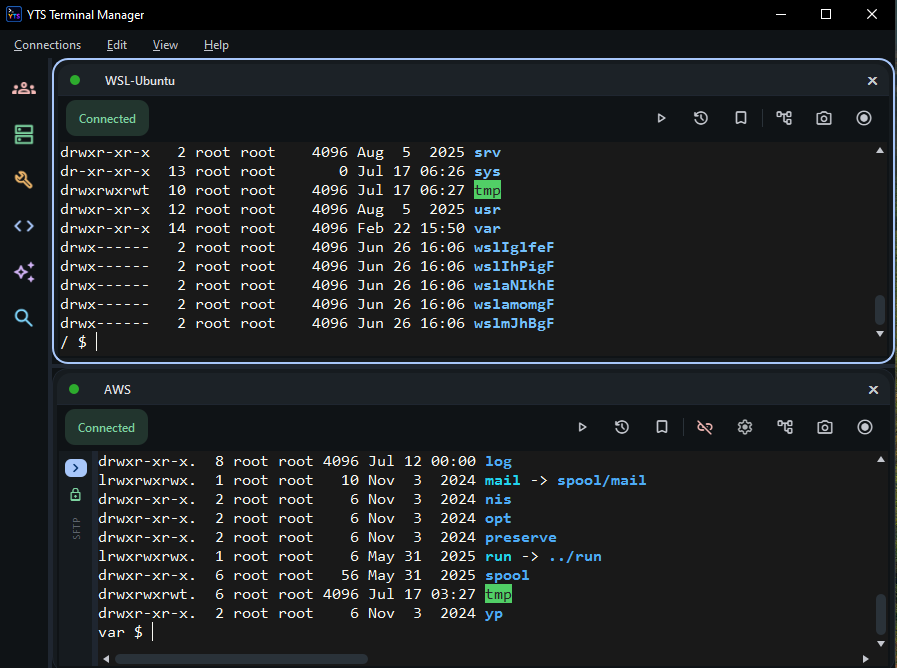
One window, four ways to look at it — single, horizontal, vertical and matrix. Focus on one device, split the window into panes, or tile the whole fleet and watch every session react at once. Switch layout any time; nothing disconnects.
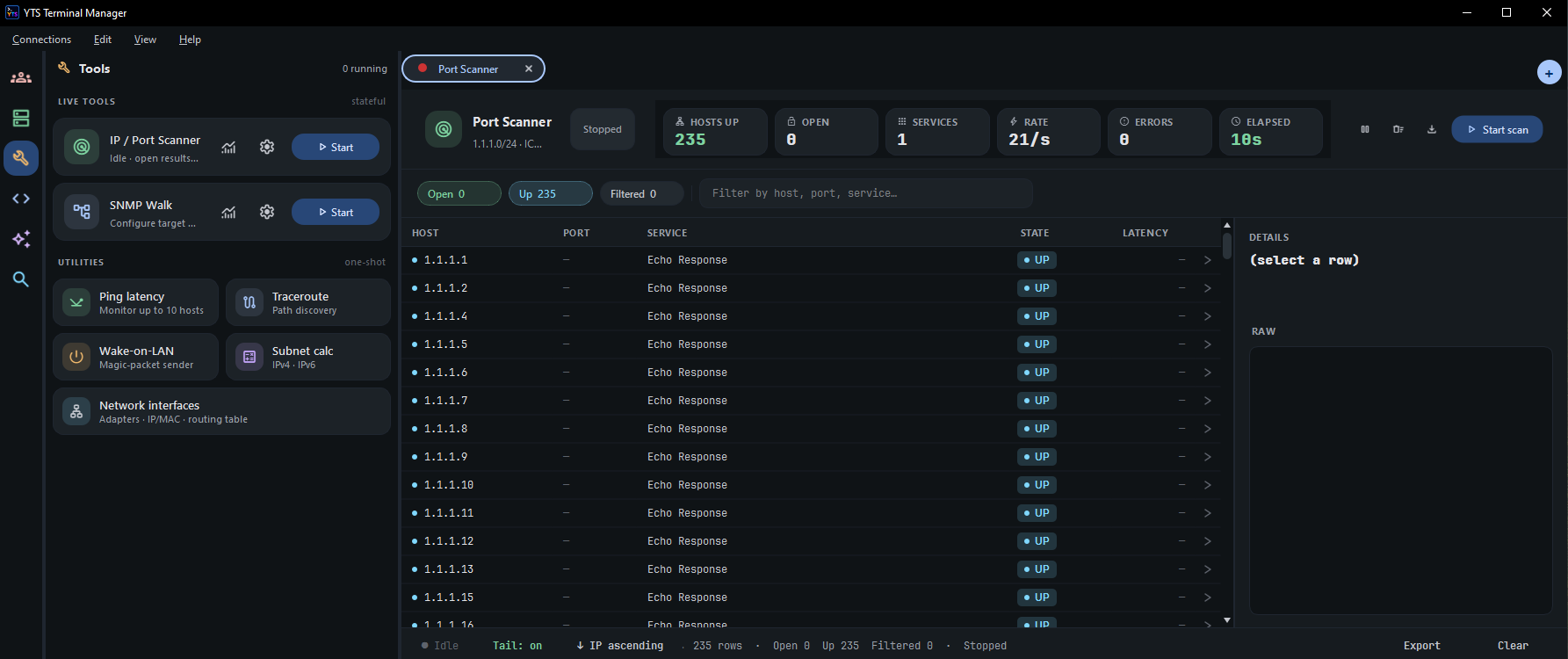
The questions you ask on every callout — is it up, what's open, where does the path break, what's this OID — answered from the same window as the session. No hunting for a separate utility, no pasting IPs between apps.
Sweep a subnet for reachable hosts and open ports with accurate open/filtered classification, or walk a device's OID tree — results in sortable, exportable report views.
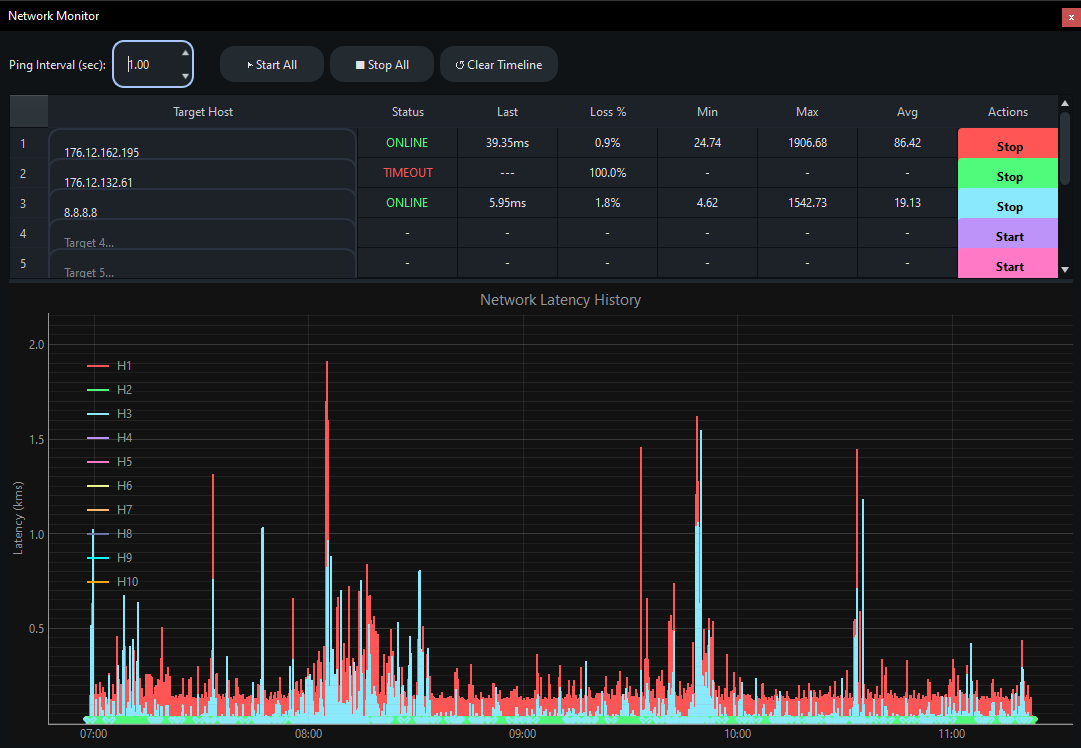
Watch ten hosts at once on a live graph, trace where a path breaks, wake a sleeping machine, or work out a prefix — IPv4 and IPv6 both.
Your own adapters, IP/MAC addresses and routing table at a glance — and a jump straight into Windows' adapter properties when you need to change one.
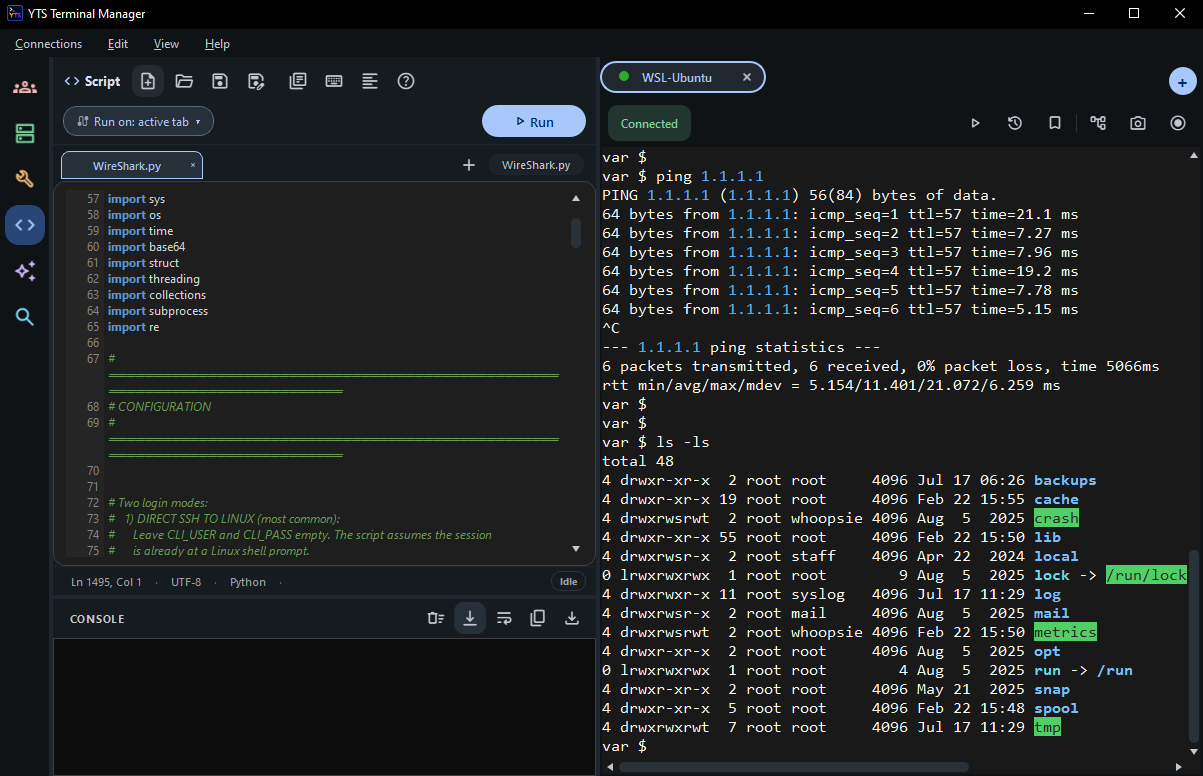
A real Python interpreter wired to your live sessions. Read the screen, send commands, drive SFTP, even automate an embedded web page — scripted once, then run against one device or the whole fleet.
Point a script at whichever session is in front, or at a specific one. Output lands in the console beside the editor — no context switch, no copy-paste.
Multiple script tabs, syntax highlighting, a snippet library and a formatter — so the thing you wrote last quarter is still readable today.
The same API drives an embedded web tab: navigate, read the page, fill fields, click, run JavaScript — for the device UIs that never got a CLI.
Attach a script to a favourite and it runs the moment the session opens — health checks, logins and collection done before you look at the screen.
We built YTS Terminal Manager because no single free app covered the whole workflow.
| Capability | YTS Terminal Manager | PuTTY | WinSCP | MobaXterm Free |
|---|---|---|---|---|
| Price | Free, unlimited | Free | Free | Limited (12 sessions) |
| Tabbed multi-session + matrix view | ✔ | — | — | ✔ |
| Multi-screen — tear a tab into its own window | ✔ | No tabs | — | — |
| SSH / Telnet / Serial | ✔ | ✔ | SFTP only | ✔ |
| SFTP / FTP / SCP client | ✔ | — | ✔ | ✔ |
| Built-in AI assistant (cloud + local) | ✔ | — | — | — |
| Command broadcast to device groups | ✔ | — | — | Multi-exec only |
| Embedded FTP/SFTP/TFTP/TACACS+/SYSLOG servers | ✔ | — | — | Partial |
| COM-port console server (serial-over-IP) | ✔ | — | — | — |
| Python automation API | ✔ | — | .NET/COM | Macros |
| Port scanner, SNMP walk, subnet calc | ✔ | — | — | ✔ |
Comparison based on publicly documented free-tier features, July 2026. All product names are trademarks of their respective owners.
No license key. No registration. No expiry.
Up and running in under two minutes.
| OS | Windows 10 / 11 (64-bit) |
| RAM | 4 GB minimum |
| Disk space | 600 MB |
| Install | Standard installer, no extra runtimes |
| License | Free — personal & commercial use |
| Clients | SSH, Telnet, Serial, SFTP, FTP, SCP, RDP, PowerShell, CMD, Web |
| Servers | FTP, SFTP, TFTP, TACACS+, SYSLOG, Terminal Server |
| AI | Anthropic, OpenAI, Gemini, Qwen, GLM, GitHub, local |